Lil Floaty Cam

Float your webcam cutout over any Mac app.

Lil Floaty Cam removes your webcam background in real time and floats just you over your screen. Hit record in the screen recorder you already use. No green screen, no compositing, no editing.

macOS 14 Sonoma or laterApple silicon & IntelFree lifetime updates

How it works

One screen recording. You’re already in it.

Skip the second camera track and the compositing in post. Float yourself over your work and record it all at once.

  1. Open Lil Floaty Cam

    It lives in your menu bar. Pick any camera, including your iPhone with Continuity Camera.

  2. Float anywhere

    Drag, resize and round the corners. You stay on top of every app, even full‑screen ones.

  3. Click right through

    Turn on Remove Background and everything around your cutout is see-through. Keep clicking, scrolling and typing in the app behind you.

  4. Hit record

    Use QuickTime, OBS, the screenshot toolbar or a video call. You’re already in the shot, so there’s nothing to edit.

Features

Just you, floating over your work

Made to feel seamless, and to stay out of your way while you work.

Real-time background removal, no green screen

Your background disappears live, right on your Mac. Viewers see your face and your work together, with nothing in the way.

  • Runs entirely on your Mac, nothing is uploaded
  • Refine Edges snaps the cutout to your hair and shoulders
  • Edge Stability cuts down on flicker
  • Fast, Balanced or Best quality to suit your Mac

A webcam cutout with the background removed, floating over a Mac desktop

Stays out of your way

Float over any app, even full screen, and keep clicking whatever’s behind you.

  • Click-through: only your cutout catches clicks
  • Hides automatically when your mouse gets close
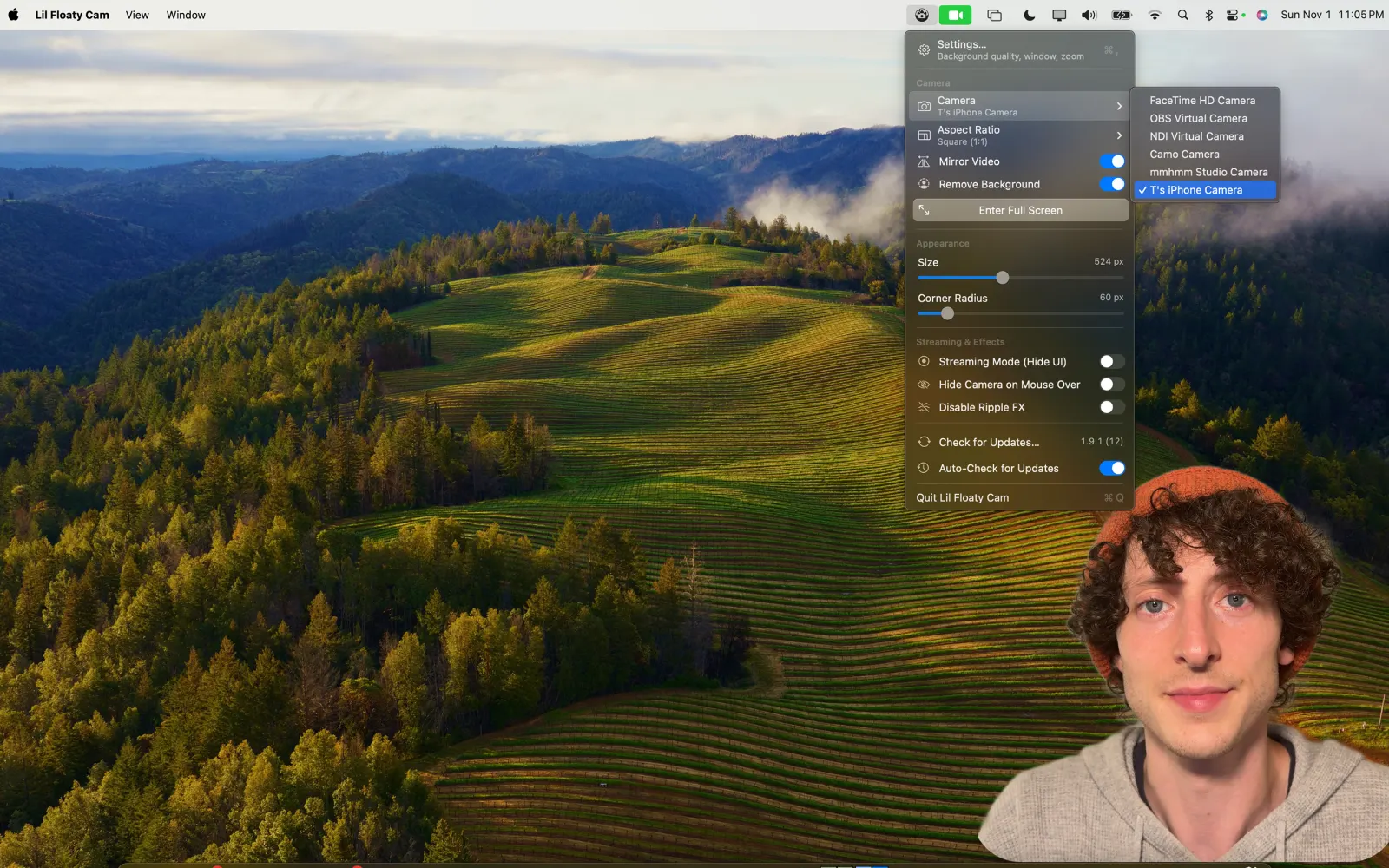
  • Streaming Mode hides every border, handle and button
  • Drag, resize and reposition from the menu bar
The Lil Floaty Cam menu bar controls for camera, aspect ratio, size and streaming mode

Prefer a classic camera bubble?

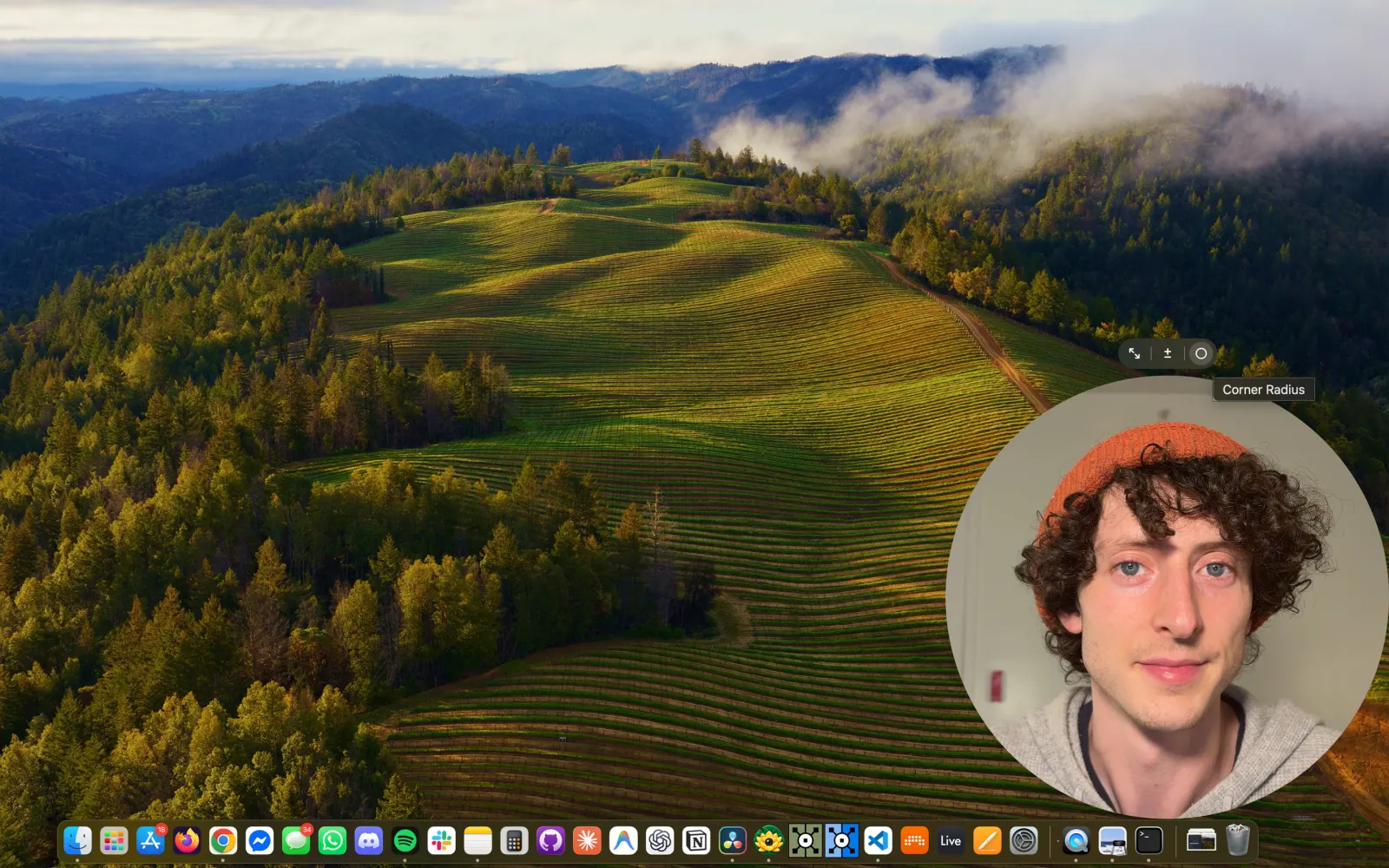
Turn background removal off for a framed webcam with any shape you like.

  • Slide the corners from square to a perfect circle
  • Pick an aspect ratio straight from the menu
  • Mirror your video
  • Works with the built-in camera, USB webcams and your iPhone
A round webcam bubble in the corner of a Mac desktop

Made for

Tutorials, demos and showing your work

  • Tutorials
  • Screen recordings
  • Live streams
  • Product demos
  • Online classes
  • Client walkthroughs
  • Async video updates
  • Bug reports
  • Presentations
  • Screen sharing on calls

I built Lil Floaty Cam to make my own tutorials easier to make. I wanted one screen capture with my camera already on top, instead of juggling separate recordings in post.

When I show clients how something works, I usually reach for a tool like Loom, but all I really use is my camera floating over my screen. So I made a lightweight app that does exactly that.

Torin BlankensmithCreative technologist, maker of Lil Floaty Cam

Private & simple

Buy it once. Keep it forever.

Private by design

Your camera feed never leaves your Mac. Lil Floaty Cam has no account, no cloud processing, no analytics and no tracking. It collects no data at all.

Read the privacy policy

One small price

$3.99 one time

Free lifetime updates, delivered automatically. No subscription. Free for members on a paid Patreon tier.

FAQ

Before you download

Do I need a green screen?

No. Lil Floaty Cam removes your background in real time using your Mac's built-in machine learning. It works in a normal room with a normal webcam.

Which screen recorders does it work with?

All of them. Lil Floaty Cam is a regular window floating above your apps, so anything that records or shares your screen picks it up: QuickTime Player, the macOS screenshot toolbar, OBS, ScreenFlow, and screen sharing in Zoom, Meet or Teams.

Can I use my iPhone as the camera?

Yes. Lil Floaty Cam works with any camera your Mac sees, including the built-in FaceTime camera, USB webcams, and your iPhone with Continuity Camera.

Which Macs are supported?

Any Mac running macOS 14 Sonoma or later. It runs natively on both Apple silicon and Intel Macs.

Is it a subscription?

No. Lil Floaty Cam is a one-time $3.99 purchase with free lifetime updates. It's also free for members on a paid Patreon tier.

Is my video uploaded anywhere?

Never. Background removal runs entirely on your Mac. There's no account, no cloud processing, no analytics and no tracking.

How is this different from Loom?

Loom records and uploads your video for you. Lil Floaty Cam does one thing: it floats your camera, with the background removed, over your screen. Record with whatever tool you already like, and keep your files on your Mac.

More questions & support →